Creativity Station (Room 109)
Rooms
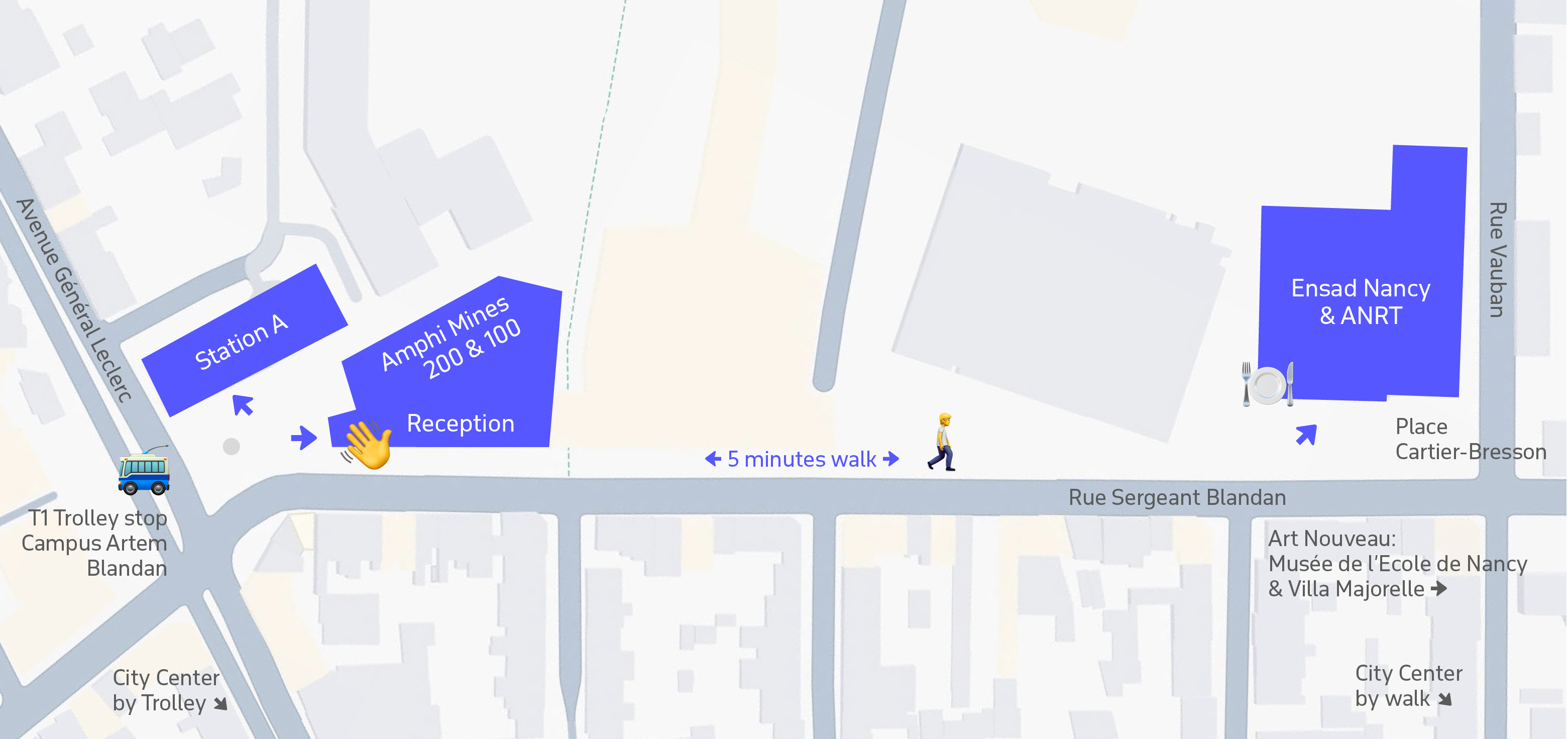
To get to Creativity Station (Room 109), enter the Station A building located at the same square, then go up to the first floor, turn right after the stairs and go until the end of the corridor.
For presenters
This room is equipped with the camera 360° and video projector.
The projector connection is wireless through the ClickShare system (USB) – once connected, it will prompt you to open the application to start the projection.
The 360° camera will capture your voice and follow your movement. During the discussions, it will also capture the audience.
You can either use your own laptop, or ask the volunteers to help you with opening the presentation on the laptop installed in the room. In this case, the preferred format is ______
To start the presentation, open your slides in presentation mode, connect to the video conference (the link will be shared with you), and start sharing your screen. The recording should be ON. You have to use the room’s camera and Microphone instead of the ones in your computer. In the moment of the discussion, you can either leave your slides open, or close the presentation to show the room and participants.
The audience will hear you well if you speak normally, but please ask the volunteers if you prefer to use the microphone.
The maximum number of participants is 60.
Sessions in this room:
Tuesday (Tutorials)
Wednesday (Tutorials)
| 9:00 | |
| 9:30 | |
| 11:00 | |
| 11:30 | |
| 13:00 | |
| 14:00 | |
| 16:30 |
Thursday
| 14:00 | |
| 14:40 |
The Tokenizer Comedy: A Catalog of Joyful Failures in LLM Unicode Processing |
| 16:50 |